Showing posts with label TECH KNOWLEDGE. Show all posts
Showing posts with label TECH KNOWLEDGE. Show all posts
Monday, 31 March 2014
How To Increase Your Internet Speed

HOW TO INCREASE INTERNET SPEED?
In today this new modern and technology world everyone having a device to use internet.But a new issue and problem come throughout all internet users that they have problem of slow internet even they are paying a good amount for internet service to speed up their speed but can not get it all.
Now days a large amount of people asking on search engine that How to increase internet speed.So to solve and help them today i am here to give you guys some tips and tricks to How to increase Your internet speed.
Here are some tips and tricks to increase your internet speed

1). SWITCH YOUR BROWSER TO NEW VERSION

let your older browser and upgrade it to new released versions.Quit the internet explorer to Google Chorme and Firefox.In my opinion and experience Google Chorme and Firefox is the best browser now days in internet market.Google Chrome, while new, uses very little memory and can also be good for sites that have a lot of JavaScript and Flash. You may also want to try the FastestChrome add-on.Firefox has many extensions that allow for the ability to block elements such as JavaScript, advertisements, Flash, and other things until you enable them.The browser customization give a big effect to our internet speed.
2). UNINSTALL ALL UNWANTED SOFTWARES

In today and modern technology world where the internet is necessary for every one.This is a development of our new world but you may have heard this quotation that if there is any profit behind some thing then there will also be a side effect of it.As the development of technology the negative mind developer are always have to install the softwares on your computer which you did not want.But they do it from their websites and other sources.The unwanted softwares are always running behind the scene and accessing through intern.Thats why they make your internet speed slow of that.
3). CHECK YOUR INTERNET SPEED ONCE IN A WEEK

There are lots of website enable on internet which are providing the users to check their internet speed.
Here are some website where you can check your internet speed
The purpose of checking your internet speed weekly provide you information that is it going to low or high.After uninstalling yours unwanted software and checking the speed again,you will get a good result of high internet speed than before.
4). SCAN YOUR COMPUTER MONTHLY

Scanning your computer monthly remove your all viruses which comes from your whole month internet browsing,inserting virus affected usbs to your computer and lots of other viruses website where you download videos and songs.The scanning through a antivirus detect all your viruses and remove all of them.This action keep your computer active in working and also give a good affect to your internet to speed up.
5). DON,T USE INTERNET PROXY WEBSITE OR SOFTWARES

Using proxy websites or proxy softwares can damage your all computer default settings and make your computer and internet speed very slow because using proxy websites and their auto downloaded software give a effect to your computer.The proxy software for opening banned websites has access your internet ip from a unique place where that website is open.To access that place ip it need lots of internet speed and a good high configured computer.After using it you feel that your internet and computer speed become very slow and can not perform a single simple task.
Related Topics

Friday, 28 March 2014
Top 5 Things You Never Knew That You Could Do With Chrome

Hello guys today i am going to say you the top ten fact of Google Chorme that you could do with chorme.
1). GENERATE PASSWORD

When running Chrome on Windows, Linux or Chrome OS, Chrome Flags will fill in passwords for you when you open an account creation page. To get started you will have to be signed in to your Chrome account (if you don’t have one sign-up for it) and have your password manager enabled. Visit the Flag site, chrome://flags, and find “Enable Password Generation.” This tip will save you a lot of time to think !
2). TAB OVERVIEW

This Chrome feature will be familiar territory for Apple fans because the Tab Overview flag uses MacBook’s trackpad to deliver a new way of browsing for users. The “how-to” for your MacBook? All you need to do is swipe three fingers down on the pad and there you go! All your open tabs in a simple tile display just like the Mac feature many of us know. Unfortunately, that means that this is only available on Mac.
3). STACK YOUR TABS

Mac users are not the only ones who can reorganize their tabs for easier viewing. Rather than using squashed tabs at the top of the screen, why not stack them? Use a similar “how-to” as the Mac users – type “about:flags” into the Omnibox and find “Stacked Tabs” on the Flags page. Enable stacking tabs so that your tabs won’t shrink and they’ll stack on top of one another as space runs out.
4). POST TO THUMBLR

We all have had that moment – you found the coolest post for your Pinterest or Tumbler followers but don’t have time to sign in and post it and there’s no pin it button. Now you can! There is a Post to Tumblr extension allowing you to simply right-click on any image you want to share.
5). MAKE REDDIT BETTER
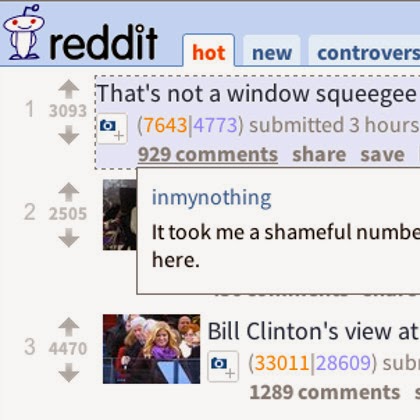
Reddit and Chrome go hand in hand really well. There are a ton of extensions for improving Reddit’s appearance and performance on Chrome. So, why haven’t you customized your experience yet? Try ‘Reddit Companion’ to add an info bar to your browser to let you vote and view comments at your convenience. Related Posts
10 Famous Logos That Have A Hidden Meaning

Nowadays there are so many companies with instantly recognizable logos, but few people actually know the meaning behind these corporate symbols. Here are 10 modern day examples of company logos and the meanings behind them:
1). AMAZON

The arrow which looks like a smiling face in Amazon’s logo has another meaning behind it. It is a representation of the wide range of items available for retail by Amazon, from A to Z.
2). APPLE

The Apple logo is derived from the story of Adam and Eve in the Bible. The bitten apple represents the fruit from the “Tree of Knowledge”.
3). IBM
IBM’s logo has a hidden message for the whole world hidden in the Big Blue logo that represents it’s company. The white lines passing through give the appearance of the equal sign in the lower right corner, representing equality.
4). MOBIL

Mobil’s logo itself does not represent anything, but the colours do. The red represents strength while the blue in the logo represents faithfulness and security.
5). FEDEX

The FedEx logo looks simple and it’s hard to see what could be hidden within it. But looking closely at the space between the ‘E’ and ‘X’ in the orange Ex shows an arrow pointing forward. This arrow represents moving forward toward to the future.
6). AUDI

Many have wondered what the four circles in this automaker’s logo mean. Well the four circles represent the 4 companies that were a part of the Auto-Union Consortium in 1932, namely, DKW, Horch, Wanderer and Audi.
7). BMW

BMW’s logo is a tribute to the company’s history in aviation. The logo shows a propeller in motion with the blue part representing the sky. This is due to the company’s role of building aircraft engines for the German military during World War II.
8). MERCEDES-BENZ

Mercedes’ tri-star represents the companies dominance over land, sea and air.
9). TOYOTA

There are three ellipses visible in the company’s logo. Each ellipse represents the heart of the customer, the heart of the product and the heart of technological progress.
10). VOLKSWAGEN

The Volkswagen logo simply shows the letter of the company’s initials. The word “Volks” is German for people, while “Wagen” is German for car.
Related Posts
Dell Laptops Will Soon Have Wireless Charging

The major computer manufacturer is backing the wireless charging movement and it is possible that the feature will be available in all of their future devices. The “Alliance for Wireless Power” is being supported by Dell and it calls for a standard of wireless charging for all devices which need anywhere from 20 to 50 watts of power.

What makes wireless charging possible is Rezence, which uses magnetic resonance to charge laptops and other devices at the same time without any need for a cord. This will create a world that is always connected and always on. It means that devices will always be charged and low batteries will be a thing of the past. But a specific standard for wireless charging is important.
Imagine never having to carry your charger again. Wherever you go – coffee shop, airport, etc. – you will only have to carry your laptop and will always be assured that it is being charged. Although a Rezence-powered device does not exist yet and we barely even have any options to wirelessly charge our smaller gadgets, it may be a while till this cord-free future becomes a reality. But with Dell on board, we may be seeing charger-free laptops sooner than before.
Thursday, 27 March 2014
The Real Stories Behind Some Common Technological Terms

1). SPAM

The word is mostly used to define junk email but is originally the name of a lunch meat. It became synonymous with wasted email due to an old sketch from the comedy show Monty Python. In the sketch, there was a diner with Spam in every dish and the characters sang the word “spam” out loud several times throughout the show. Soon it was used in Internet chat rooms and has since been used to describe annoying, repetitive things that people don’t want.
2). MOUSE

We all know this navigational device, without which our home computer system would be incomplete but no one, not even the inventor, knows for sure where the name came from. In a 1968 conference, Douglas Engelbart said that he did not know where the origin of the term came from. He said that “looked like a mouse with a tail, and we all called it that in the lab.” But Roger Bates who was working along with Engelbart said that they called the cursor on the screen a “CAT”, and that since the cursor went wherever the device pointed, it became know as a mouse.
3). MEME

This term has become increasingly common in social media and is used to describe a thought or action that has become viral on the Internet. The term comes from Richard Dawkins’ 1976 book, The Selfish Gene, in which he shortened the Greek word “mimeme” to “meme” so it would rhyme with the word gene. “Mimeme” means “imitated thing”. Also “meme” is also similar to the French word “même”, which means “same”.
4). BLOG

A blog is basically a personal website in which a person shares his thoughts and feelings with people on the Internet. This term is a shortened version of the original name, “weblog” (read web-log) which was coined in 1997 by Jorn Barger. Barger used the term to describe his website which “logged his Internet wanderings”, and the word was soon truncated and is now known as the popular web pastime.
5). HACKER

A word most commonly associated with someone who steals digital information. However, in the early days, the term was used to someone who was technologically literate or talented with electronics (not just computers). The origin of the term is descirbe in the book Piracy Cultures as “one who works like a hack at writing and experimenting with software.” So the term that we use to describe the virtual thieves is a misnomer. Positive hackers prefer to call these crooks “crackers”.
6). COOKIES

We have all seen this term whenever we enter our browser’s settings, but there are some that do not know what it is. A cookie is a small piece of information which is stored every time you visit a website. The word is derived from an older computing term, “magic cookies”, which has the same basic meaning. The inventor of the web cookie, Lou Montulli, explained that he had heard the term “magic cookies” in a college class and used it to name his creation since he liked it for aesthetic reasons.